NewCO₂ footprint for every part

FloorManager

Quote it. Make it. Ship it.
One system for the whole shop.

Quotes, work orders, material, the schedule, quality and the CO₂ of every part, from the office to a PIN-login terminal at every machine.

Open the live demo

14-day free trialRuns in the browserCancel anytime

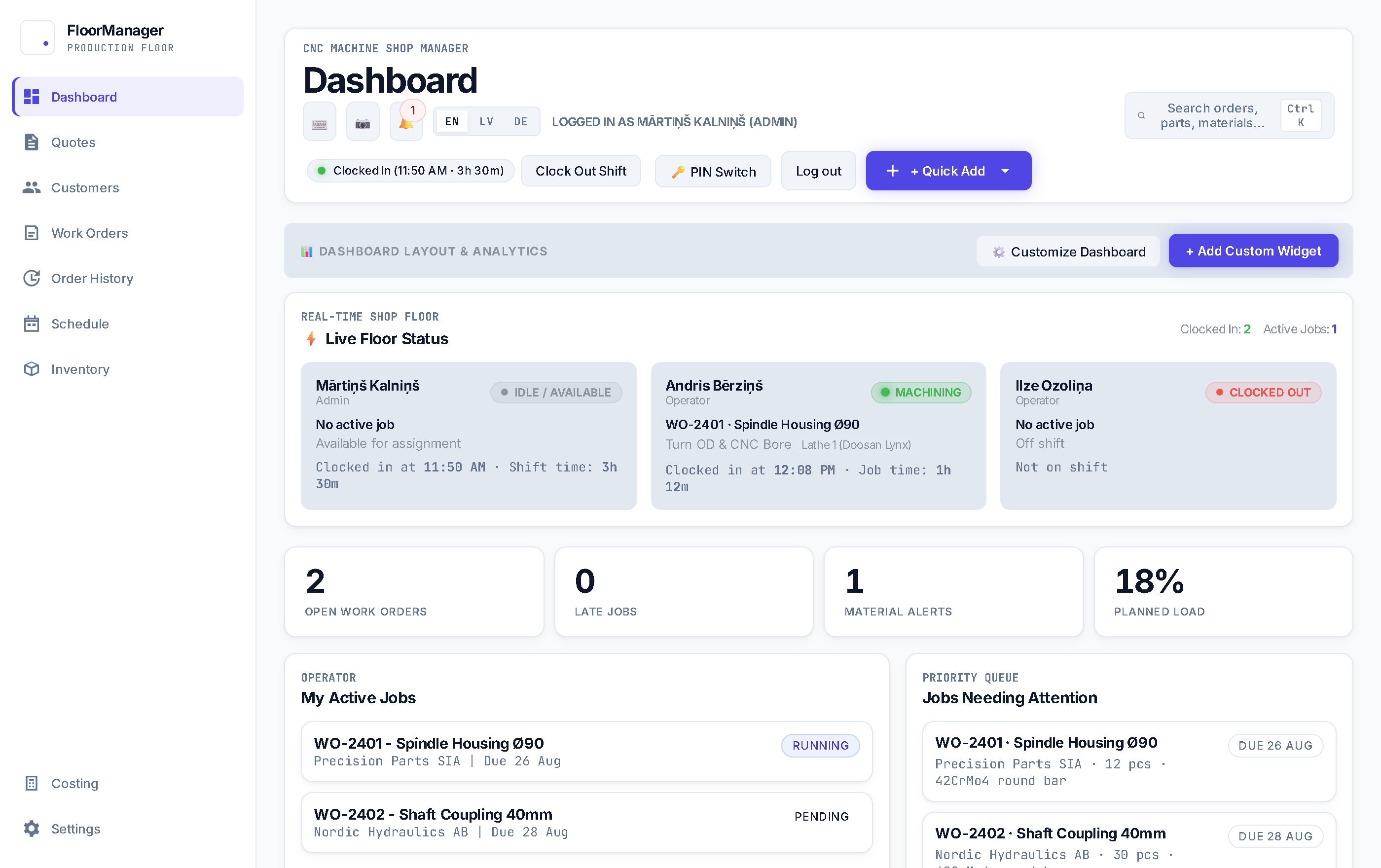
FloorManager dashboard: who is on shift and what each operator is machining, open and late work orders, material alerts and planned load.

Your link looks like floormanager.app/?tenant=yourshop

Connected end to end

From quote to shipped part, nothing typed twice

A quote becomes a work order, the work order reserves material and lands on the schedule, and the terminal logs what really happened.

01

Price and CO₂ from setup, run time and material

Scrap, outside processing, tooling and programming included. Start from the customer's PDF drawings, add quantity breaks and revisions, and send a link the customer uses to approve.

Pro
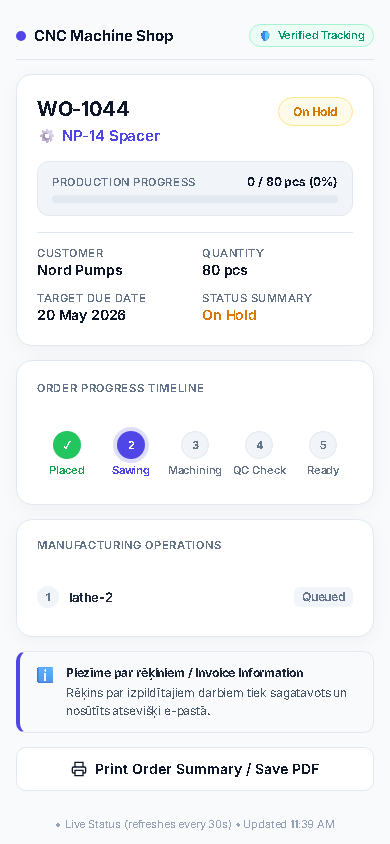
Customer quote approval page with prices per quantity
02

Accepted quote, one click to a work order

Price, material, scrap allowance, drawing revision and outside processes carry over. Routings by work center with setup and run time.

Core
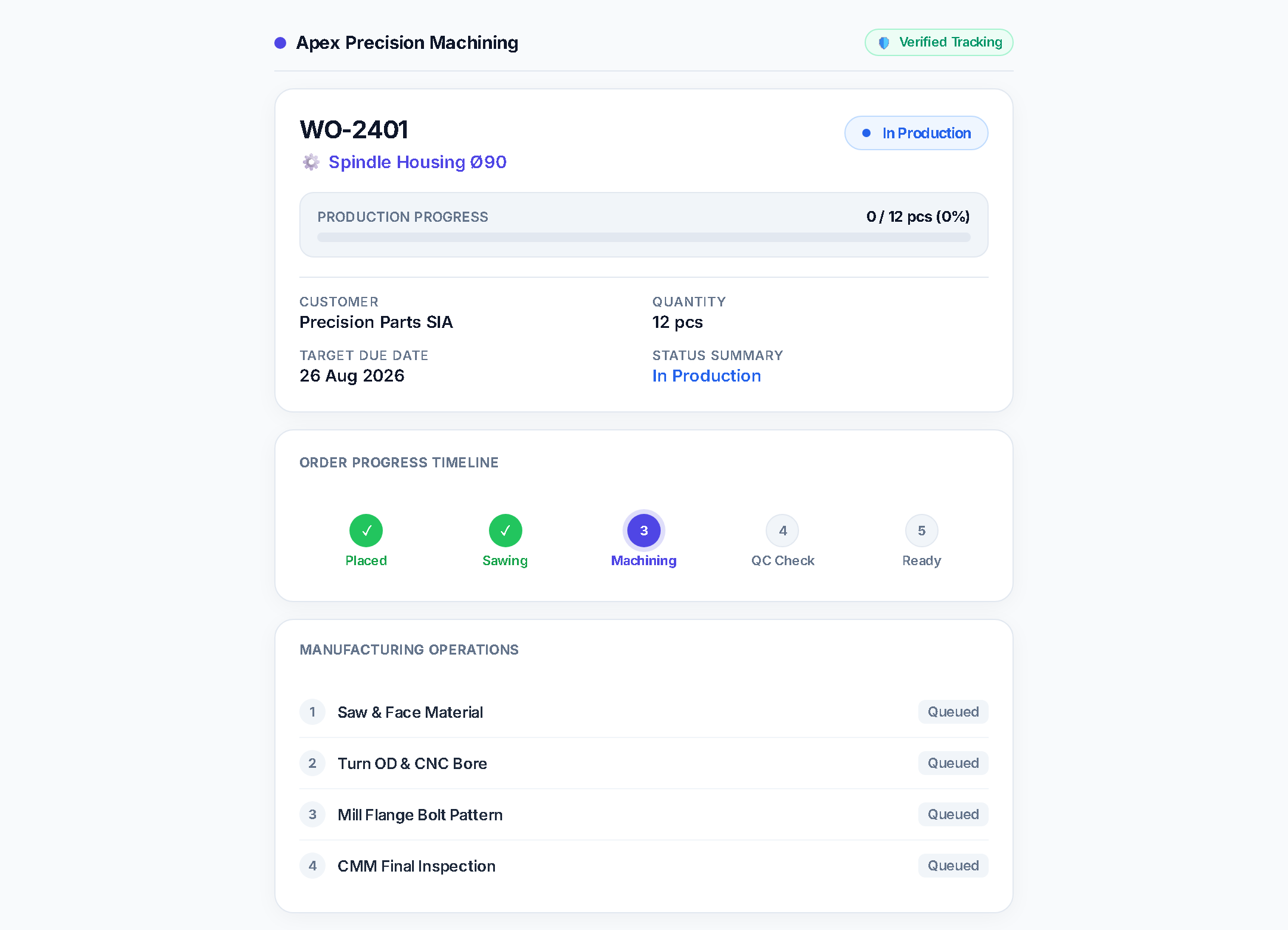
Work orders on the dashboard
03

Parts per bar, with saw kerf

Material is reserved per job including scrap. Shortages are flagged before release and remnants go back into stock.

Core
Kerfin every cut plan
+ Scrapreserved with the job
Remnantsback into stock
04

Drag the schedule, see the load

Queue and load per work center on a Gantt and a board. Late jobs show on the dashboard before the date is missed.

Core
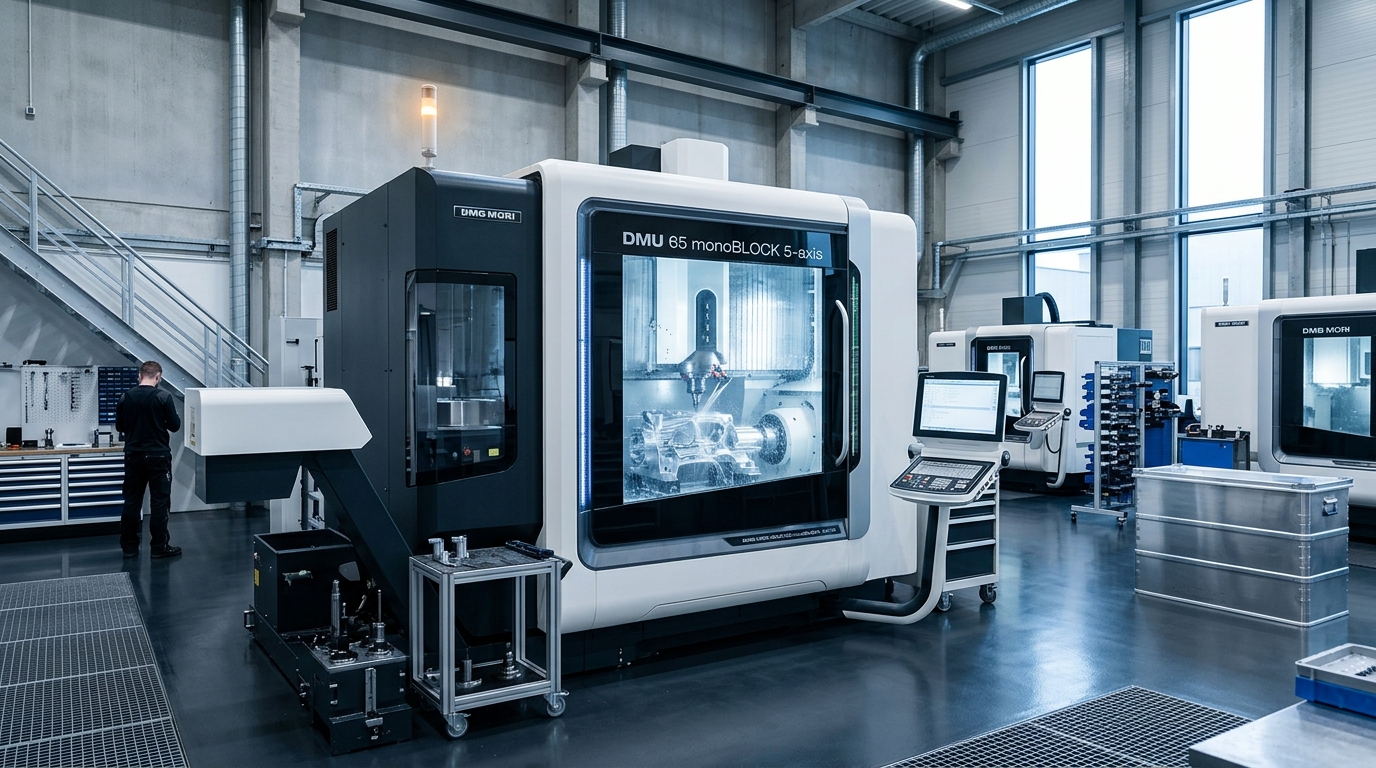
CNC machines in a workshop
05

A PIN, big buttons, the right drawing

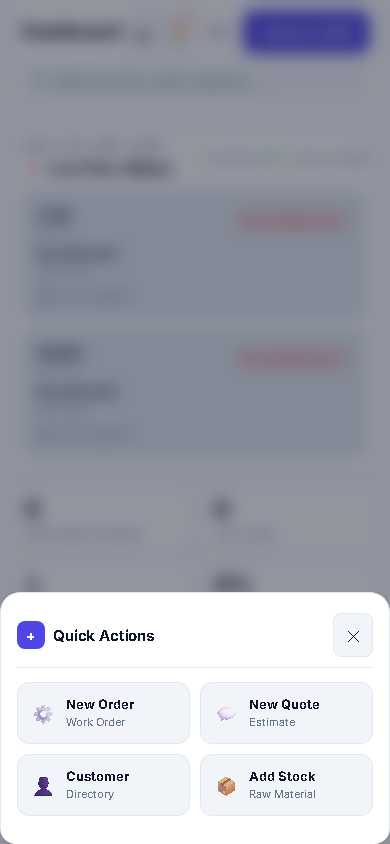
Operators log setup and run time, good and scrap parts with a reason. The next operator switches with their own PIN.

Core
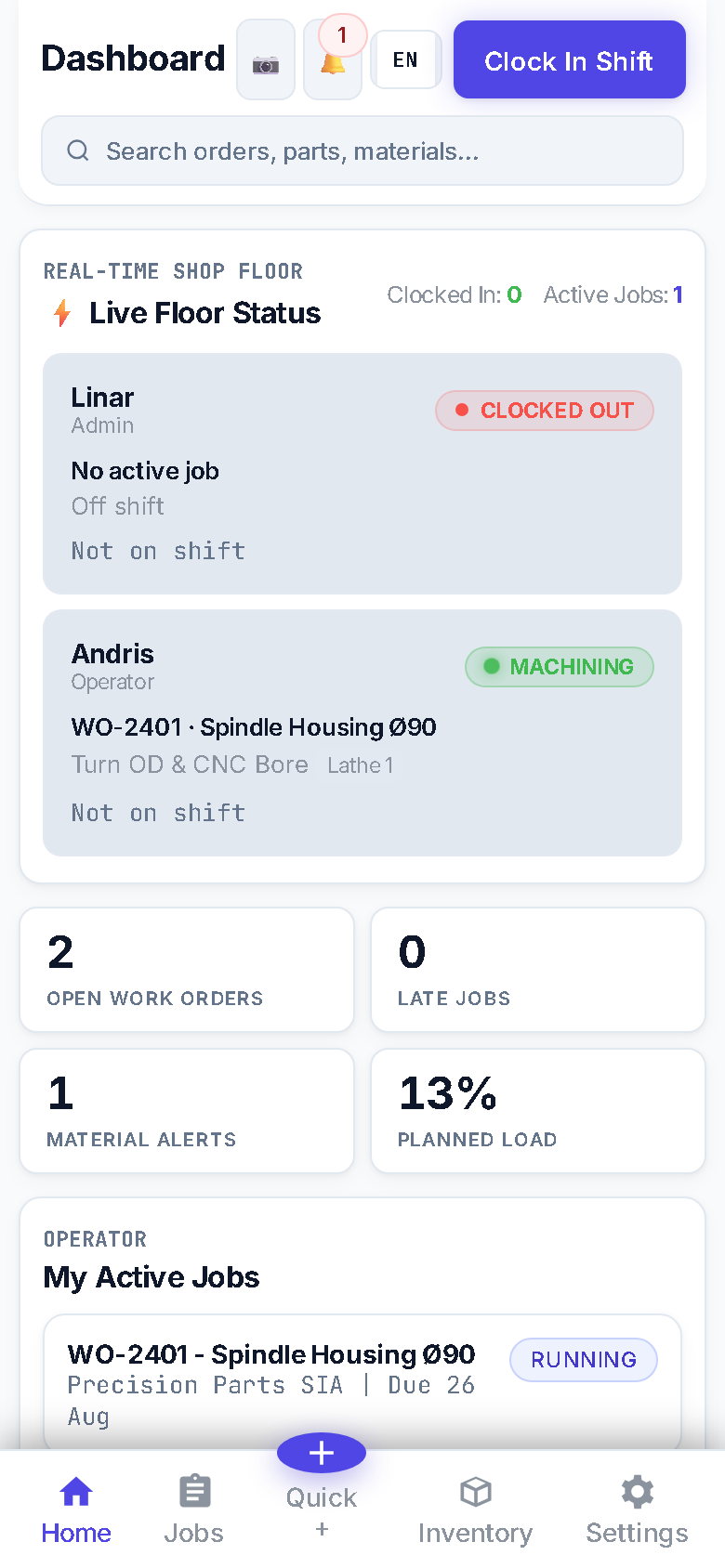
Terminal quick actions on a phoneOperator job view on a phone
06

Certificates attached to the batch

Heat numbers, inspection sheets, AS9102 first article reports and non-conformances, all on the work order.

Pro
Turned and milled parts from a job shop
New · CO₂ footprint

The CO₂ of every part, from the hours you already log

From financial year 2027, the largest EU companies report their emissions, and they ask their suppliers for the figures. FloorManager works out kg CO₂e per part from machine time, machine power, your country's electricity and the material: the same numbers it already uses for the price.

Example: steel shaft, 100 pieces

Turned on a lathe: 30 min setup, 6 min per part. 1.2 kg of steel bar per part, scrap included. Pick where the shop is.

Grid factors are national averages for 2024 (European Commission JRC). Enter your own, or zero for certified renewable electricity.

Per partkg CO₂e
Machining0.84 kWh × 0.059 kg/kWh
0.050
Material1.2 kg steel × 2.2 kg/kg
2.64
Total per part2.69

Cradle to gate. A calculated estimate, not a verified declaration.

  • On every quote line

    CO₂ per part is saved with the price. Show it on the customer's PDF and approval link with one tick.

  • Planned against actual

    The work order compares the estimate with the time operators really logged, per operation, good and scrap parts.

  • Monthly energy report

    kWh and kg CO₂e per workcenter each month, with a CSV export for your own reporting.

  • No half numbers

    If a figure is missing, such as a factor for a plastic, the customer sees nothing and you see what to fill in.

Counts machine electricity, raw material and outside processing when the supplier gives a figure. Transport, heating and compressed air are not included yet.

Quoting

Setup time is where small batches lose money

Move the sliders. This is a simplified version of how FloorManager prices a quote line: setup spread over the batch, run time at your shop rate, material and your margin.

Price per part
€23.83

Cost per part €17.88

Batch total
€1,192
Profit
+€298
Margin
25%

In FloorManager, overhead, scrap, tooling, programming and outside processing are added too, and the quote is compared with the time actually logged once the job is done.

  • Quantity breaks

    One quote, several quantities, the price per part for each.

  • Revisions

    Changes go in R2, R3. The accepted price never moves.

  • Customer approval link

    The customer accepts online and follows the order.

Shop-floor terminal

As easy as a phone, at every machine

No desktop menus. Operators enter their PIN, see their queue, open the drawing and log parts. A shared tablet switches to the next operator with their PIN.

Terminal: start setup, start run, log parts Operator queue
  • One tap to start and stop setup and run
  • Good and scrap parts, with a scrap reason
  • Current drawing only, locked to the job's revision
  • Barcode scanning Pro
  • Keeps working offline, syncs later Pro
Quality & traceability

Any certificate for any batch, without the filing cabinet

Heat numbers, drawing revisions, inspections and non-conformances are attached to the work order.

First article
AS9102
Traceability
Lot & heat no.
Drawings
Revision lock
Records
NCR · calibration
Your data

One database per workshop

Each company gets its own database. Nobody else's jobs, prices or drawings sit next to yours.

New · AI assistants

Works with Claude and other AI agents

Connect an assistant over MCP. It signs in as you and has only your permissions, so it can look up jobs, update a work order or receive material when you ask.

Inventory & purchasing

Purchase orders from shortages

Stock levels, what is short and the purchase orders to fix it. Outside processing becomes subcontract POs. Pro

Who uses it

Everyone works from the same live picture

The planner, the owner, quality and the machinist each get the screen they need, fed by the same work orders.

Know what runs where, and what is about to be late.

Stop walking the floor with a printout to find out which job is on which machine.

  • Queue and load per work center, on a Gantt you can drag
  • Material shortages flagged before a job is released
  • Late jobs and who is on shift, on the dashboard

Screens they open first

  1. Schedule
  2. Work orders
  3. Inventory shortages

See which jobs make money and which eat it.

Compare what you quoted with the setup and run time that was actually logged.

  • Planned vs actual cost per work order
  • Quote pipeline and won value
  • A link customers use to approve quotes and follow their order

Screens they open first

  1. Dashboard
  2. Costing
  3. Quotes

Find any certificate for any batch, without the filing cabinet.

Heat numbers, drawing revisions, inspections and non-conformances are attached to the work order.

  • Digital inspection sheets and AS9102 first article reports
  • Revision lock so nobody machines from an old drawing
  • Scrap reason codes, calibration and maintenance logs

Screens they open first

  1. Quality & compliance
  2. Work order history
  3. Calibration

Big buttons, a PIN, and the right drawing.

No desktop menus. Operators enter their PIN, see their queue, open the drawing and log parts.

  • Start and stop setup and run with one tap
  • Good and scrap parts with a reason
  • Shared tablet: the next operator switches with their PIN

Screens they open first

  1. Kiosk terminal
  2. My jobs
  3. Drawing viewer
Why switch

Spreadsheets and paper, or one system

Many job shops run on a mix of Excel, whiteboards and paper travelers. Here is what changes.

AreaTodayWith FloorManager
Job statusWalk the floor or ask on the phoneLive per machine and operator on the dashboard
QuotesA spreadsheet per customer, setup time guessedSame costing every time, compared with actual time afterwards
MaterialSaw maths by hand, remnants forgottenParts per bar with kerf, remnants back in stock
At the machinePaper travelers, old drawing printoutsTablet terminal with PIN login and the current drawing
CapacityOverload found when a date is missedLoad per work center and late-job warnings
Customer questions“Where is my order?” callsA status link the customer can open
New in Shop Pro

One more thing: quote straight from the customer's PDF drawings

Drop in the drawings from the customer's email, scanned or not. FloorManager reads the article number, part name, quantity, material and revision, takes the overall size from the dimensions, suggests the bar stock and fills the quote lines. You check the highlighted fields and add the operations.

Specs

Specifications

Access

Runs on
Any modern browser; installs as an app
Office users
Core: up to 3 admins · Pro: unlimited
Operators
Unlimited, PIN login at the terminal
Languages
English, Latvian, German

Data

Database
One per workshop
Drawing storage
Core: 5 GB · Pro: 50 GB
Units
Pieces, kg, metres
Prices
In your shop currency, excl. VAT

Quoting

Prices
Setup, run time, material, scrap, outside processing
Quantity breaks
Several quantities in one quote
From PDF drawings
Title block, size and bar stock (Pro)
Customer
Approval link, revisions R2, R3

Floor

Terminal
Tablet or phone kiosk
Workshop TV
Live board of jobs and machines
Barcodes
Pro
Offline
Pro, syncs when back online

CO₂ footprint

Method
Cradle to gate, kg CO₂e per part
Counts
Machine electricity, material, outside processing
Electricity
National grid factor, your own, or renewable
Reports
Monthly per workcenter, CSV export

Connects to

Accounting
Invoice export to Moneo
Customers
Quote approval and order status links
AI assistants
MCP server, signs in as the user
Developers
API and webhooks (Pro)
Billing
Monthly or yearly, cancel anytime

See every feature →

Pricing

Two plans. Per workshop, not per user.

14-day free trial on both. Operators on PIN terminals don't count as seats.

Shop Core

Run the floor: work orders, schedule, material and the operator terminal.

€40/ month

Billed monthly · Cancel anytime

  • Up to 3 admin users, unlimited PIN operators
  • 5 GB drawing storage
  • Work orders, routings and schedule
  • Inventory, sawing and purchase orders
  • Operator terminal: setup/run time, scrap codes
  • Printable travelers, attendance

FloorManager

Try it on one machine and one job.

From €40 / month per workshop. The trial has every feature.

Open the live demo